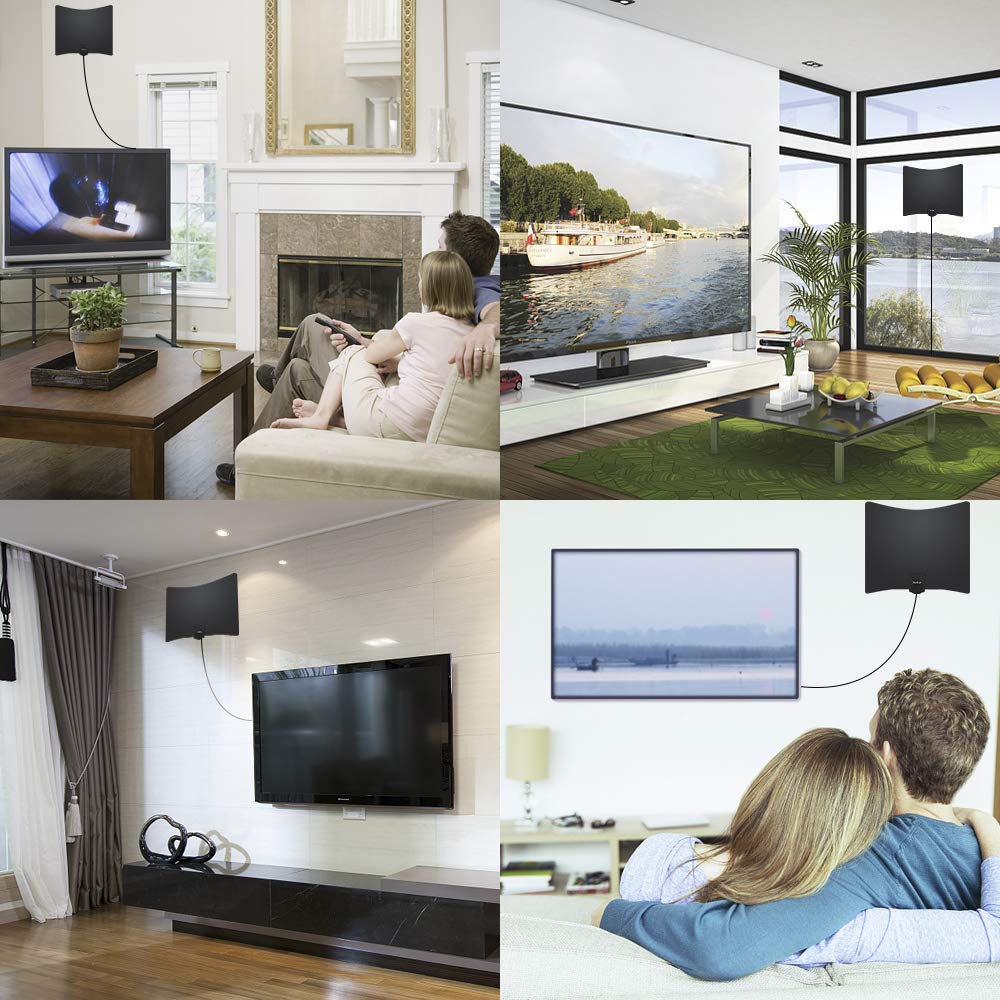
Indoor TV antennas are one of the few electronics purchases where two people can buy the same product and have completely different results. The antenna is not receiving a generic “HD signal” from the sky. It is receiving specific local broadcast signals through walls, windows, wiring, nearby electronics, terrain, and whatever else lies between your home and the transmitter. That is why a thin $35 antenna can be enough in one apartment while a much more expensive amplified model struggles a few miles away.
The right approach is to buy for your location and make the first test easy to return. Check which stations broadcast in your area, identify the tower directions and bands, put the antenna high near a window if possible, and scan the TV in Antenna or Air mode—not Cable mode. We compared current manufacturer specifications for passive and amplified indoor antennas, included cables, VHF/UHF coverage, placement flexibility, and amplification controls. The products below are sensible starting points, not promises of a channel count.
Our picks at a glance
Best inexpensive first try: Channel Master FLATenna
Check the Channel Master FLATenna on Amazon
The Channel Master FLATenna is the one to try first if you live in or near a metro area, want local over-the-air channels, and do not want to add an amplifier before you know it is needed. It is a non-amplified, reversible black-and-white flat antenna rated by the manufacturer for up to 35 miles. It includes a detachable 12-foot RG-6 coaxial cable and adhesive mounting strips, covers high-VHF and UHF frequencies, and can be placed on a wall, window, or tabletop.
The lack of an amplifier is a feature, not an omission. If a strong signal reaches the antenna, adding gain can overload a tuner or add noise rather than improve the picture. Start passive, scan channels, move the antenna, and scan again. The FLATenna is inexpensive enough to make that process low-risk. Its stated range is only a rough starting point: building construction, transmitter direction, elevation, and the specific stations you want are all more important than the number on the package.
Best amplified indoor antenna with a bypass switch: Antennas Direct ClearStream FLEX
Check the Antennas Direct ClearStream FLEX on Amazon
The ClearStream FLEX is a better step-up for someone who has tested placement, gets some usable channels, and still has marginal reception on others. Antennas Direct describes it as an amplified indoor UHF and high-VHF antenna with a 50-plus-mile rating, a 12-foot coaxial cable, a reversible black-or-white flat body, and a USB-powered Jolt Switch in-line amplifier. The switch is the important part: you can compare reception with amplification on and bypassed instead of assuming more gain must be better.
The FLEX is not a magic solution for a distant or obstructed home. Its amplifier can increase a signal that reaches the antenna; it cannot create a clean signal where no usable signal arrives. Its listed reception pattern, VHF support, and included switch make it a reasonable option for apartment dwellers and homeowners who need a compact indoor experiment before considering an attic or outdoor antenna. Keep the receipt and test it at more than one location before deciding it solves your reception problem.
Best for a difficult-but-not-hopeless indoor setup: Channel Master FLATenna with Booster
Check the Channel Master FLATenna with Booster on Amazon
The Channel Master FLATenna with Booster is the more configurable indoor choice for a home that receives channels inconsistently and needs to experiment with amplification and filtering. It combines the basic FLATenna with an indoor amplifier that offers up to 30 dB gain, three fine-tuning modes, and built-in FM, LTE, and out-of-band filters. The package includes a 12-foot antenna-to-amplifier cable, a six-foot output coaxial cable, and a six-foot power cord. It is designed for UHF and high-VHF reception and is rated by the maker for up to 50 miles under favorable conditions.
Buy this version only after you understand why an amplifier might help. It makes sense when a signal is present but marginal, or when interference reduction and a higher placement option improve the scan. It is not the right first response to every missing station. If the antenna is hidden behind a television, connected through a questionable splitter, set to Cable scan, or facing substantial building and terrain obstacles, change those conditions first. A boosted antenna can still deliver fewer channels than an unamplified one in the wrong room.
Before you buy: find out what you can receive
Start with the local broadcast landscape, not a retailer’s channel-count claim. Your most important stations may come from different directions or may use different frequency bands. A television station’s virtual channel number is not the same thing as the physical frequency it broadcasts on. That is why a product that covers UHF only can leave out a local high-VHF station even if the box looks current and mentions 4K or NextGen TV.
Look up local broadcast towers with a reputable signal-map tool, note the direction and approximate distance of the networks you care about, and identify whether they use VHF or UHF. Then think about your building: an upper-floor window facing transmitters is a far easier situation than a ground-floor room surrounded by concrete, foil insulation, metal siding, or tall buildings. Local geography matters too. A hill between you and the transmitter may matter much more than a claimed 50-mile range.
Do not buy an indoor antenna hoping it will duplicate every channel on a paid service. Over-the-air television gives you the local stations and subchannels available at your address, not a universal package. It can be an excellent way to watch local news, network programming, sports carried by local affiliates, PBS, and specialty subchannels without a monthly antenna fee. It is not a substitute for every cable-only channel or every streaming catalog.
Passive versus amplified: the most misunderstood choice
A passive antenna has no powered signal booster. It is the best place to start when you are fairly close to transmitters or have a promising window location. It is simple, inexpensive, and less likely to make a strong nearby signal worse. The Channel Master FLATenna is our preferred passive starting point because it supports both high-VHF and UHF and is easy to relocate while scanning.
An amplified antenna includes a powered circuit that boosts the signal after the antenna receives it. This can be useful when the signal is weak after traveling through cable or when a particular station is just on the edge of reliable reception. It can also amplify unwanted noise or overload the TV tuner if the incoming signal is already strong. That is why a switchable or bypassable amplifier is valuable: it lets you test rather than guess.
Run the same channel scan with the amplifier off or bypassed and then on. Note not only how many channels appear but whether the stations you watch remain stable. A large raw channel count is less useful than reliable reception of the handful you care about. If the boosted setup loses strong stations, creates breakups, or has no effect, return to passive placement experiments instead of assuming you need a larger number printed on the amplifier.
Placement does more than brand choice
Place an indoor antenna as high as you can reasonably manage, away from the television, Wi-Fi router, powered speakers, metal shelving, and large appliances. A window often helps because it reduces the amount of building material between antenna and transmitter, though not every window faces the right direction. Start near a window, run a scan, then move the antenna several feet and scan again. In antenna work, a small relocation can matter more than a product upgrade.
Do not hide a flat antenna behind the TV before you know the best location. The television and its cables are a poor test environment, and the convenience of concealment comes after reception. Use the included adhesive tabs, but make sure the cable can reach without sharp bends or strain on the TV’s antenna input. If your best location is farther away, a good-quality coaxial extension may be preferable to permanently settling for a poor cabinet position.
Orientation can matter even for a multi-directional flat antenna. Try the antenna vertically and horizontally, and test both sides if the model is reversible. Do not overinterpret one imperfect scan; rescanning after each meaningful placement change is the only way to compare. Keep a quick note of where each station came in reliably. That makes it easier to choose the least fussy setup rather than chasing one extra, unstable channel.
Set the television up correctly
Connect the antenna to the television’s coaxial antenna input, then use the television menu to scan for Antenna, Air, or Over-the-Air channels. Do not choose Cable. A cable scan looks for a different signal system and can produce no results even when the antenna itself is positioned well. If you use an external tuner, confirm that it is set for antenna reception and that the TV is on the correct input.
Rescan every time you change major antenna placement, add or remove an amplifier, or replace a splitter. TVs store the channels they found at the previous location; they do not continuously discover the improved signal by themselves. After the scan, test the specific stations at the time of day you normally watch. A station that appears once but pixelates every evening is not a successful result.
NextGen TV, sometimes called ATSC 3.0, is a broadcast standard that is available only where local stations and your tuner support it. An antenna advertised as NextGen-ready does not add an ATSC 3.0 tuner to an older television. Likewise, terms such as 4K and 8K on an antenna box do not establish that your local broadcasters transmit those formats. The antenna’s job is to collect the signal; tuner compatibility and local broadcasts determine the rest.
When indoor is not enough
Indoor is the convenient choice, not always the best technical choice. If you are far from transmitters, surrounded by difficult building material, or trying to receive stations from several challenging directions, an attic or outdoor antenna may be the appropriate next step. Outdoor placement is higher and has fewer indoor obstacles, which can be a bigger performance improvement than any amplifier. Follow local rules, use qualified help where installation or grounding is beyond your experience, and do not improvise on roofs or masts.
Before moving outdoors, rule out the simple failures: loose connectors, damaged coax, an old splitter, a Cable-mode scan, poor placement, and an amplifier that is powered incorrectly. If a passive antenna receives the main stations by a window but not behind the TV, you have already learned that placement—not a new product category—is the limiting factor. If no indoor location produces a usable scan, that is good evidence to stop spending money on flat antennas.
Troubleshoot in a useful order
Pixelation, dropouts, and a blank channel do not always have the same cause. Start by checking the simple physical path: hand-tighten the coax connector at the antenna and television, inspect the cable for a crushed section, and temporarily remove unneeded splitters or adapters. A poor connector can affect one channel more than another, which is why a partial channel list does not automatically mean the antenna itself is too weak.
Next, compare locations. Put the antenna in its best high window position, scan for Antenna or Air channels, and write down the result. Then repeat with the amplifier bypassed and enabled if the model offers that option. Test the stations you care about rather than counting every subchannel. One stable local news station, a PBS station, and a network affiliate may be more valuable than ten distant channels that break up whenever the weather changes.
If reception changes during the day, do not assume the television is failing. Local interference, atmospheric conditions, and moving objects in or around the building can affect a marginal over-the-air signal. The practical response is to find the placement that gives you the most stable baseline, not to rescan endlessly. A correctly placed antenna can be boring, which is exactly what you want.
Using one antenna with more than one television
A single indoor antenna can feed multiple televisions through a splitter, but every split divides the available signal. Start by proving the antenna works directly with one TV. If that connection is already marginal, adding a splitter is likely to make the weaker channels disappear. If the direct connection is strong, use a quality splitter rated for broadcast frequencies, keep cable runs as short as practical, then scan each television separately.
An amplifier is sometimes useful before a splitter, but it should be chosen to solve an observed signal-loss problem—not added by default. A distribution amplifier is different from the tiny booster bundled with some flat antennas, and either can make a strong signal worse when used unnecessarily. For a small apartment setup, a separate antenna at each TV can be simpler and more reliable than running a long coax route across rooms.
Be cautious with old cable infrastructure. Wall outlets, abandoned splitters, cable-company filters, and very old coax may not be part of a clean antenna path. Trace the cable if you can do so safely, or use a direct temporary cable to isolate the TV and antenna. Once the direct connection works, add components one at a time. This approach prevents a frustrating guess-and-buy cycle.
How we chose
We compared current manufacturer documentation for frequency coverage, included cable and accessories, amp controls, placement flexibility, stated range, and warranty. We favored models that make it possible to test reception honestly rather than promising a generic channel count. We did not use retailer review totals as proof that an antenna will work at every address, and we do not claim hands-on testing where we have not performed it.
For more practical electronics guidance, browse our electronics and media guides. Prices, broadcast lineups, and inventory change, so verify the exact Amazon model number, tuner compatibility, and return window before ordering.
Frequently asked questions
Why does my antenna find no channels?
First confirm the television is scanning Antenna or Air channels, not Cable. Then secure every coax connection, move the antenna higher and closer to a window, and rescan. If it still finds nothing, your location, building, or tuner setup may not support a practical indoor result.
Will an amplifier always improve reception?
No. Amplifiers can help marginal signals, but they can also amplify noise or overload a tuner. Test with the amplifier bypassed and enabled, then keep the configuration that gives stable reception of the stations you use.
Are “50-mile” antennas better than “35-mile” antennas?
Not automatically. Those figures are favorable-condition estimates, not guarantees. Tower direction, terrain, walls, frequency band, and placement usually matter more than the headline mileage.
Can I put a flat antenna behind the television?
You can after testing, but it is rarely the best first location. Start high and near a window, scan, and move it methodically. Hiding it is the finishing step, not the setup strategy.
Our approach: We explain the trade-offs behind every recommendation. If you buy through an Amazon link, SuperGrail may earn a commission—our research remains independent.